Without a licence the app is in free mode: every feature, 5 tax invoices (the demo business does not count), then read-only. Open, print, export and back up always work.
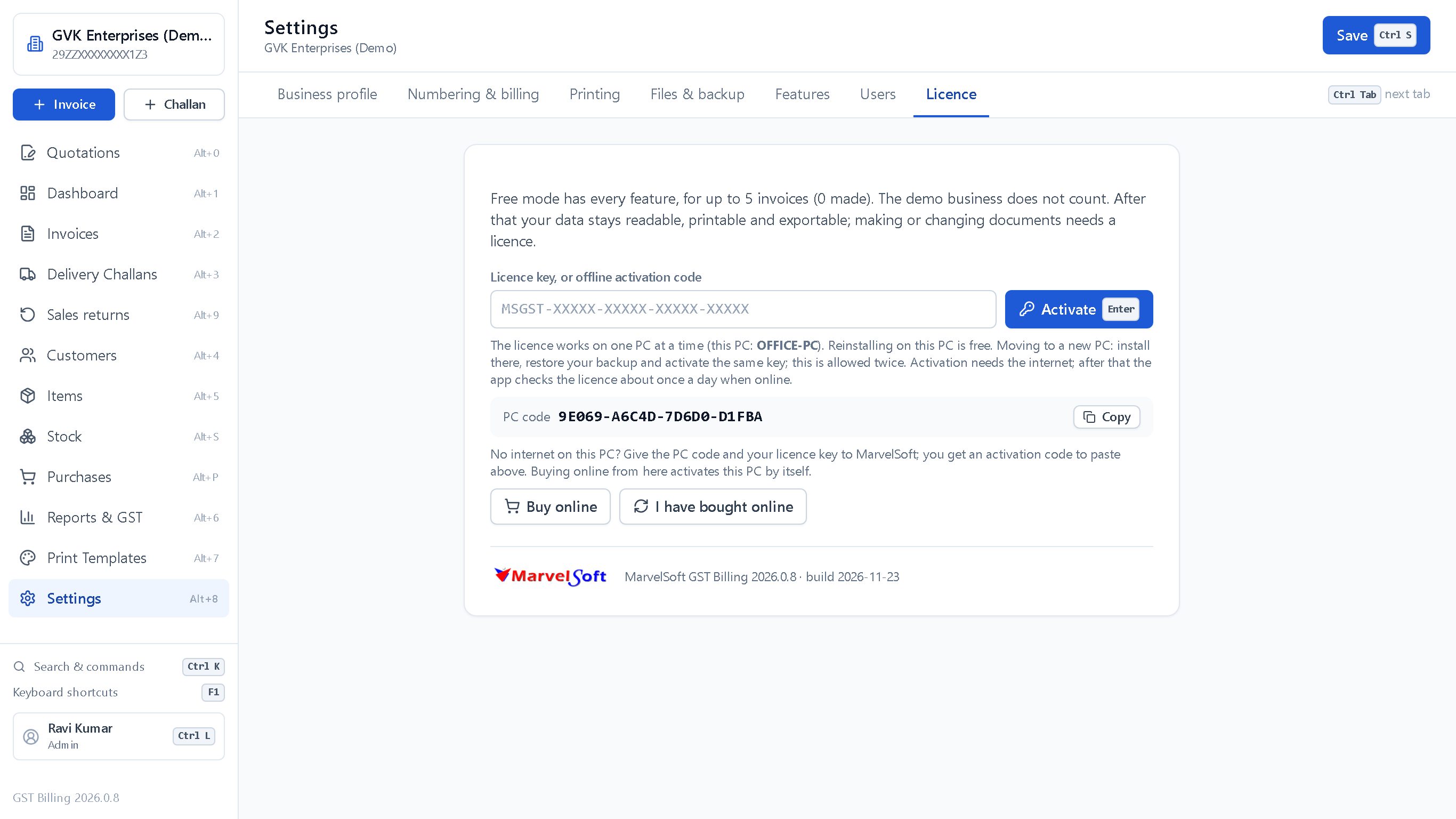
Easiest: buy from inside the app
- Settings → Licence → Buy online. This website opens with your PC code filled in.
- Pay. The licence is switched on for that PC at once.
- Back in the app click I have bought online (or restart). No key to type.
Bought on the website
- Copy the licence key from the thank-you page or your email (MSGST-XXXXX-XXXXX-XXXXX-XXXXX).
- Settings → Licence, paste it, press Enter (Activate). The PC needs the internet once.
No internet on that PC?
Send us the PC code shown on that screen and your key. We send an activation code to paste in the same box.
Renewing
Settings → Licence → Renew online, or renew on the website with your key. The new 12 months start the day after the current end; the app picks the date up by itself.