- Press Alt N (or + Invoice).
- Type part of the customer name. Pick from the list with ↑ ↓ and Enter, or press F2 to create a new customer from what you typed.
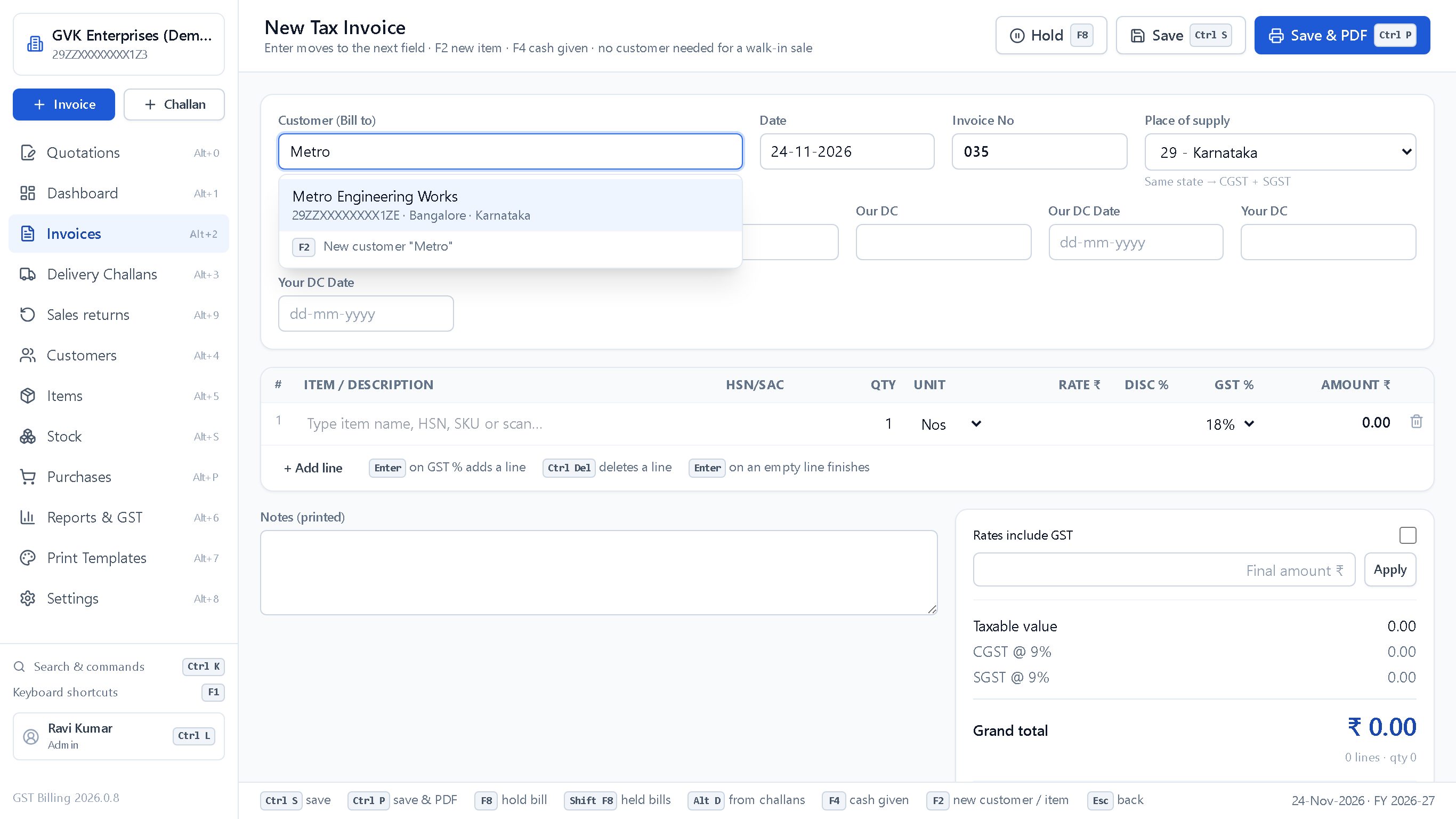
- Date, number and place of supply fill in by themselves. The place of supply decides CGST + SGST (same state) or IGST.
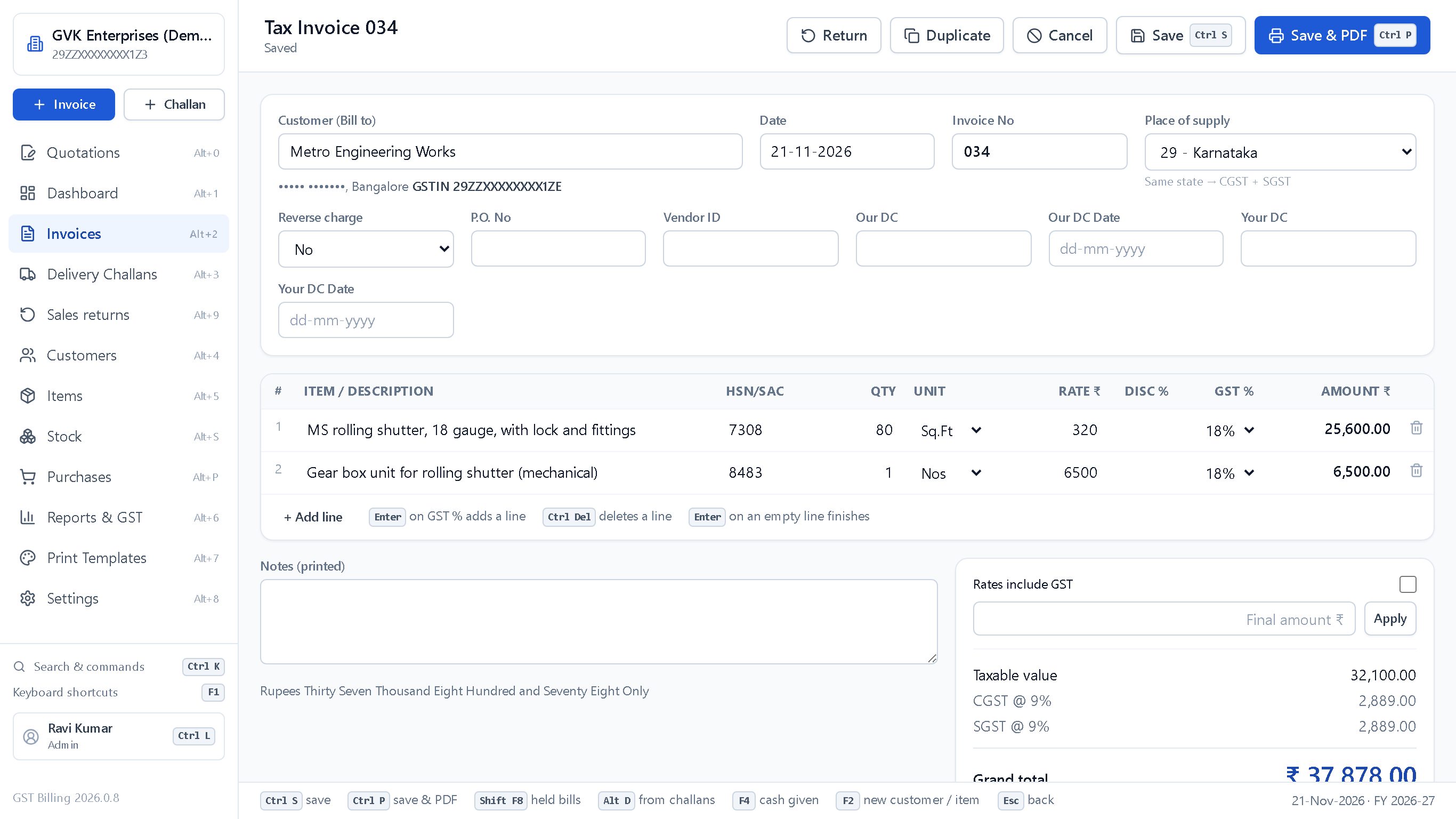
- In the lines, type an item name, HSN, SKU or scan a barcode. Enter moves along quantity, rate, discount and GST; Enter on GST % adds the next line; Enter on an empty line finishes.
- Totals, round off and the amount in words update as you type. Type a Final amount to work back to the rate or discount.
- Ctrl S saves; Ctrl P saves and makes the PDF / prints.
Good to know
- A saved invoice can be cancelled but never deleted, so numbers never have gaps.
- Duplicate starts a new invoice with the same lines.
- Alt D brings lines from the customer's pending delivery challans.