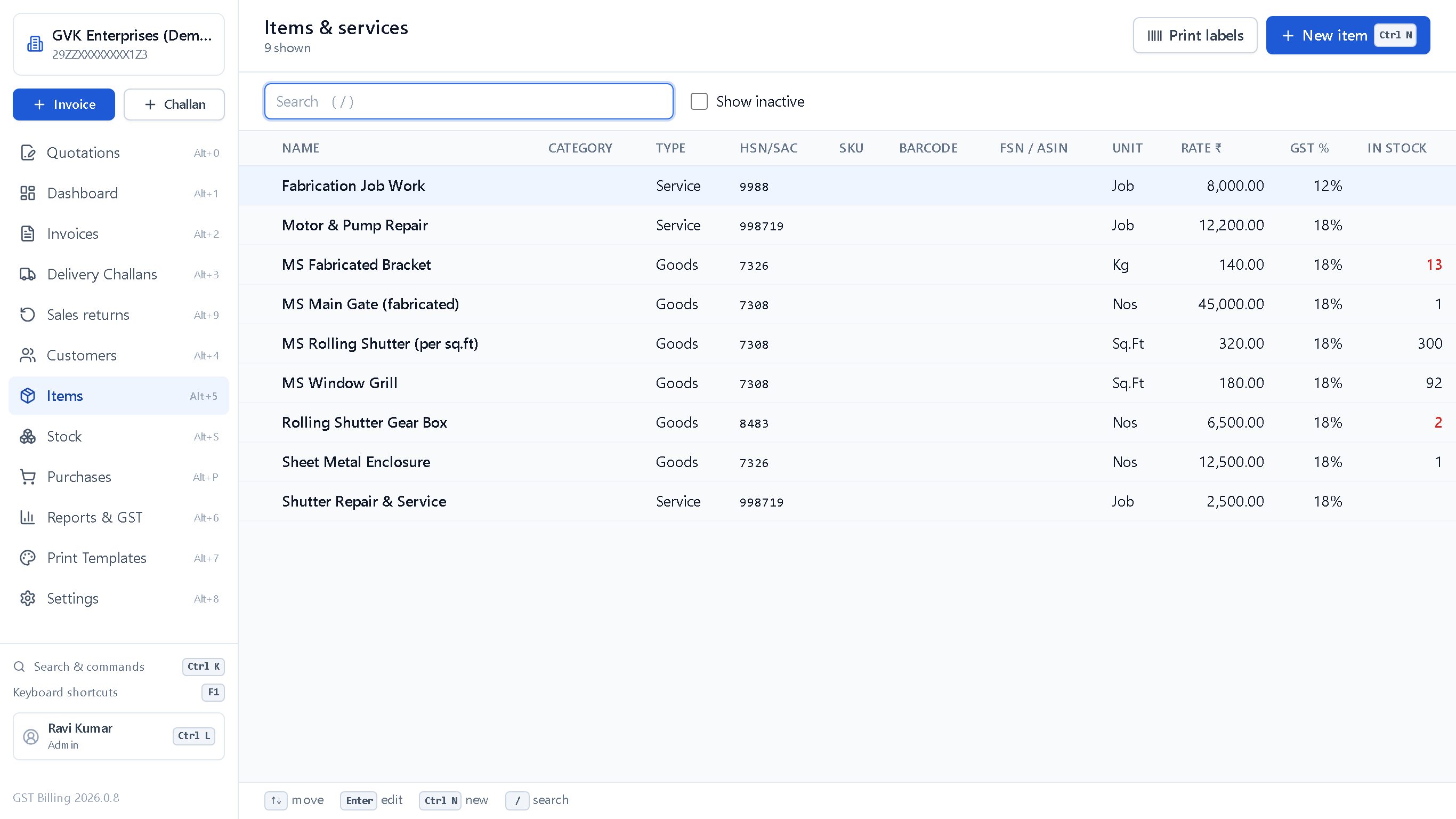
Customers (Alt 4) and Items (Alt 5) list everything; Ctrl N adds one, Enter edits, / searches.
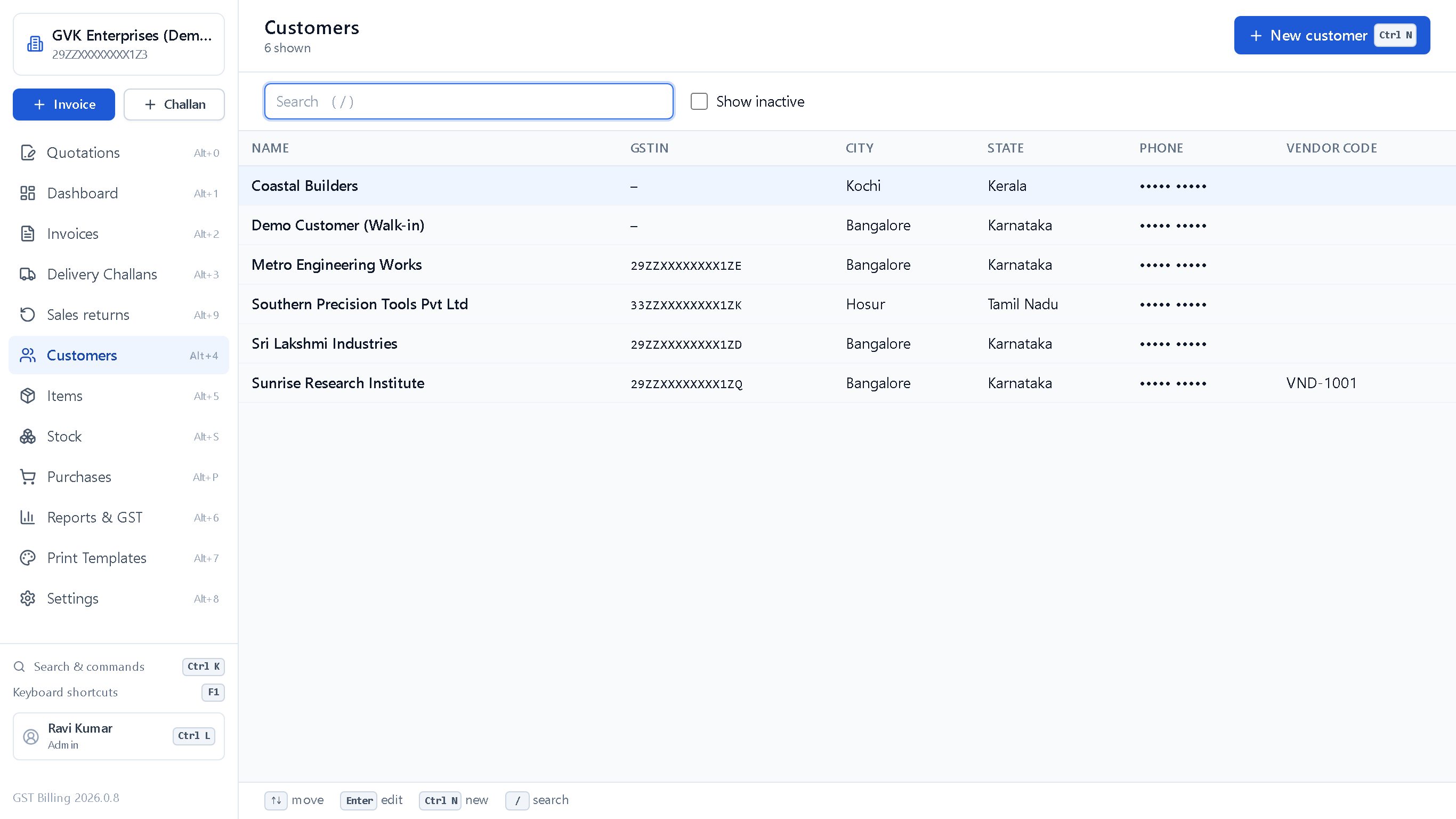
- A customer's GSTIN is checked (with its check digit) and sets the state, so the invoice knows whether to charge CGST + SGST or IGST.
- Items carry the HSN / SAC code, unit, rate and GST rate. Rates can be with or without GST.
- You rarely need these screens while billing: on an invoice, type a new name and press F2 to create the customer or item on the spot.